How ARP Resolves IP Addresses to MAC Addresses
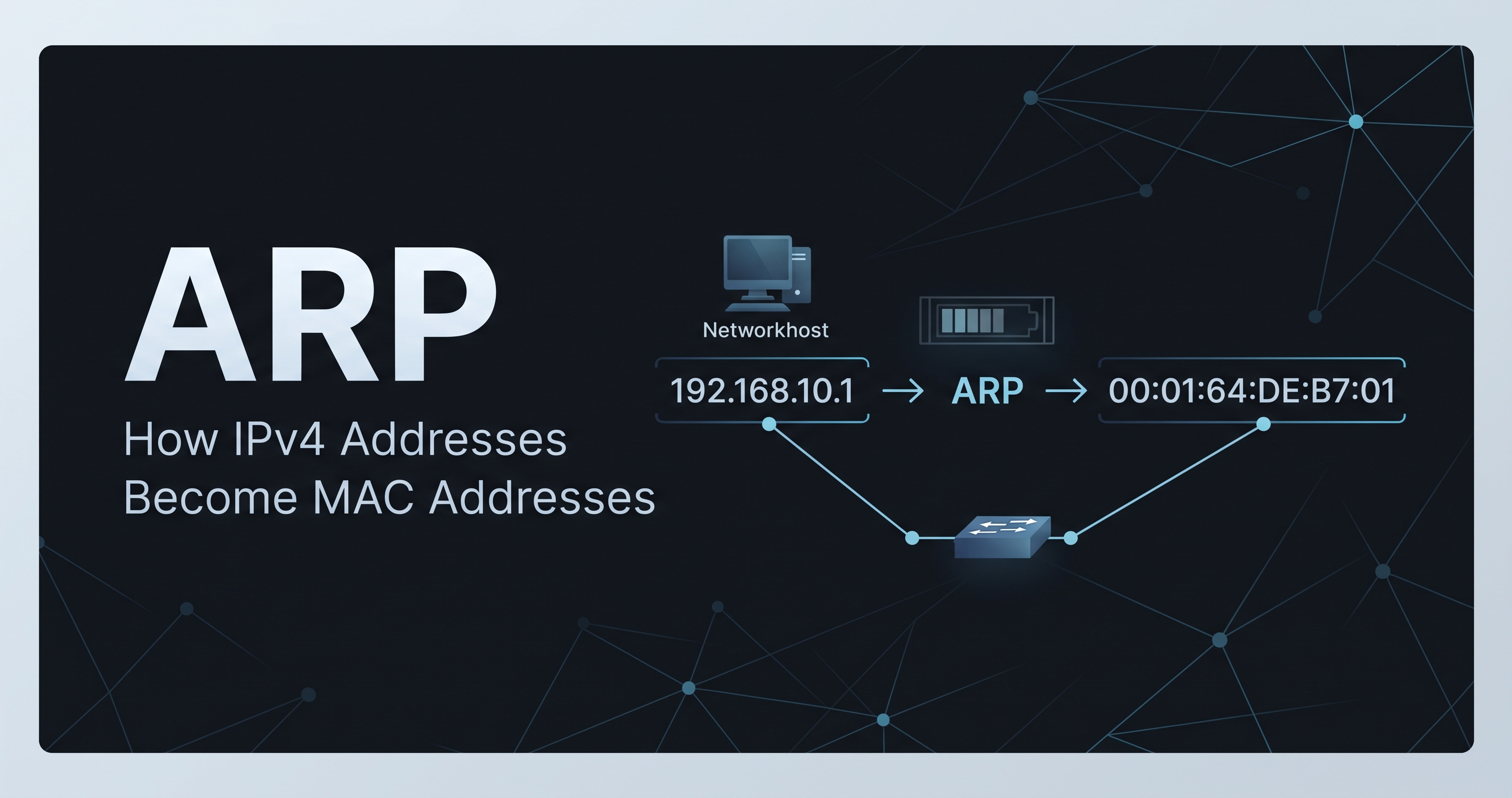
ARP (Address Resolution Protocol) is used in IPv4 networks to determine the MAC address associated with an IP address on the local network.
In simple terms, ARP connects Layer 3 addressing with Layer 2 addressing. A device uses an IP address to identify a destination, but Ethernet communication on the local network requires a MAC address.
When a destination is on another subnet, the host does not normally use ARP to find the remote host's MAC address directly. Instead, it resolves the MAC address of its default gateway, and the router handles forwarding the packet toward the destination network.
In this article, I will explain how ARP works and verify the process using a practical lab in Cisco Packet Tracer.
What Is ARP?
ARP stands for Address Resolution Protocol.
In an IPv4 Ethernet network, ARP is used to resolve an IPv4 address into a MAC address.
For example, suppose PC-A wants to communicate with a device at:
192.168.10.1
PC-A may know the destination IP address, but Ethernet communication still needs a destination MAC address.
ARP allows PC-A to discover the MAC address associated with 192.168.10.1.
The basic relationship is:
IPv4 address → MAC address
ARP is therefore an important part of communication in IPv4 Ethernet networks.
Why Does a Host Need ARP?
An IPv4 address and a MAC address have different purposes.
An IP address provides logical addressing at Layer 3.
A MAC address is used for Layer 2 communication on the local Ethernet network.
For example:
IP address:
192.168.10.1

MAC address:
0001.c76b.5d01
A host may know the IP address it wants to communicate with, but it still needs a MAC address when sending an Ethernet frame on the local network.
This is where ARP becomes important.
How Does ARP Work?
ARP communication generally involves two important messages:
ARP Request
ARP Reply
1. ARP Request
Suppose PC-A needs to communicate with:
192.168.10.1
but PC-A does not yet know the corresponding MAC address.
PC-A sends an ARP Request asking:
Who has 192.168.10.1?
The request is broadcast on the local Ethernet network because PC-A does not yet know which MAC address owns that IP address.
Conceptually:
PC-A
  |
  | ARP Request
  | "Who has 192.168.10.1?"
  v
Local Network
The device that owns the requested IP address can respond.
2. ARP Reply
The device with IP address 192.168.10.1 sends an ARP Reply containing its MAC address.
Conceptually:
PC-A
  ^
  | ARP Reply
  | "192.168.10.1 is at <MAC address>"
  |
Router
PC-A can then store the mapping in its ARP table and use it when sending Ethernet frames.
What Is an ARP Table?
A host maintains an ARP table, which stores recently learned IP-to-MAC mappings.
You can inspect the ARP table on a Cisco Packet Tracer PC using:
arp -a
A simplified ARP table looks like this:
Internet Address      Physical Address      Type

192.168.10.1          0001.c76b.5d01        dynamic
This means the host has dynamically learned that:
192.168.10.1 → 0001.c76b.5d01
The mapping is marked as dynamic because it was learned through ARP rather than manually configured.
Practical ARP Lab in Cisco Packet Tracer
To understand ARP more clearly, I used a simple network topology in Cisco Packet Tracer.
The topology contains:
2 PCs
2 Cisco 2960 switches
1 Cisco 1941 router
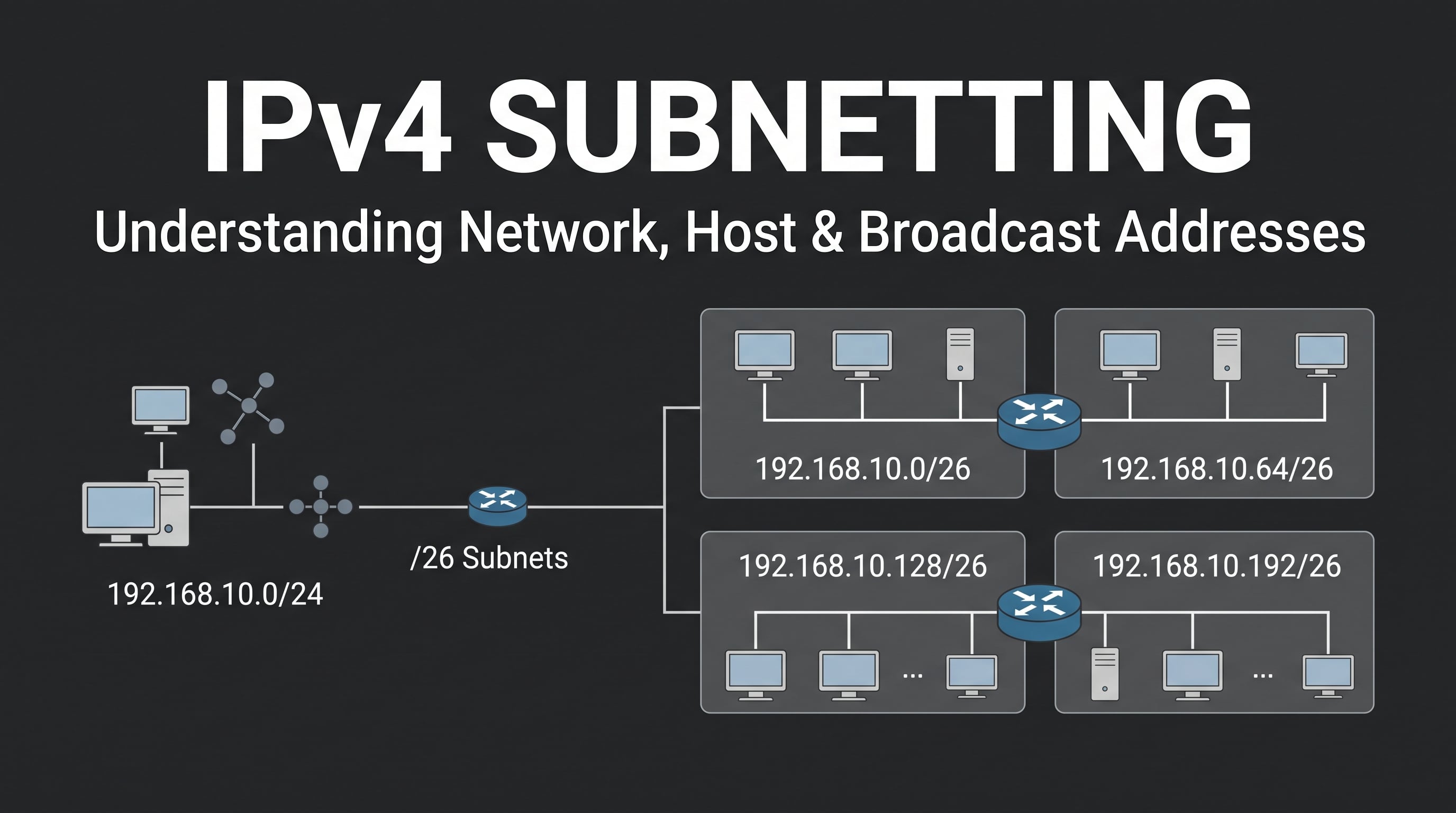
The network is divided into two /26 subnets.
Lab Topology
The topology is:
PC-A
192.168.10.10/26
     |
     |
Switch-A
     |
     |
Router
G0/0: 192.168.10.1/26
G0/1: 192.168.10.65/26
     |
     |
Switch-B
     |
     |
PC-B
192.168.10.70/26
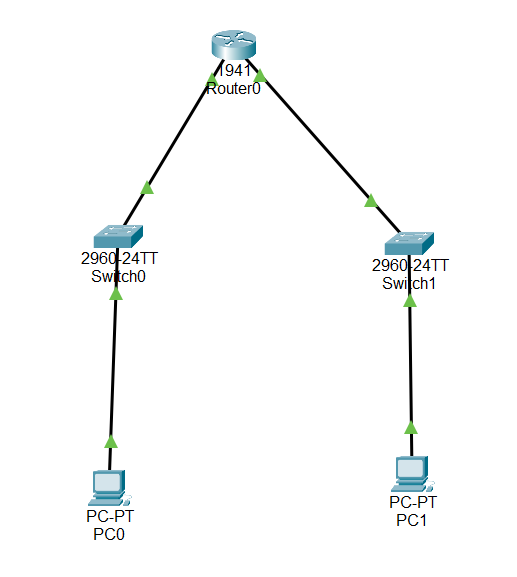
Cisco Packet Tracer topology showing PC-A and PC-B connected through two switches and a router.
The two subnets are:
192.168.10.0/26
192.168.10.64/26
PC-A belongs to the first subnet:
192.168.10.10/26
PC-B belongs to the second subnet:
192.168.10.70/26
Because they belong to different /26 networks, communication between them requires the router.
Checking the ARP Table Before Communication
Before performing the main communication test, I checked the ARP table on PC-A using:
arp -a
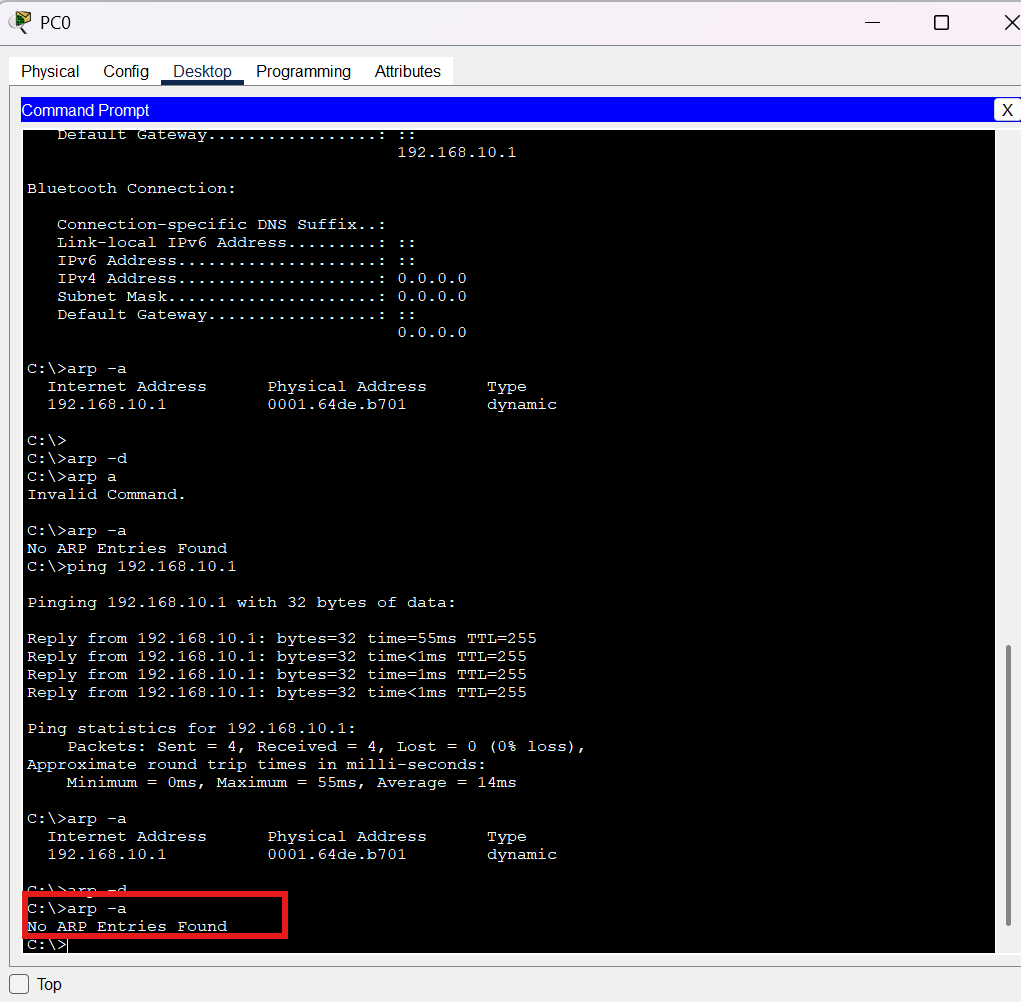
PC-A ARP table before the main communication test.
The purpose of this step is to establish a baseline and observe the ARP table before the communication test.
Pinging the Default Gateway
Next, I tested connectivity between PC-A and its default gateway:
ping 192.168.10.1
PC-A successfully pinging its default gateway at 192.168.10.1.
The ping was successful:
Packets: Sent = 4, Received = 4, Lost = 0 (0% loss)
This confirms that PC-A can communicate with the router interface on its local subnet.
Checking the ARP Table After the Gateway Ping
After pinging the gateway, I checked the ARP table again:
arp -a
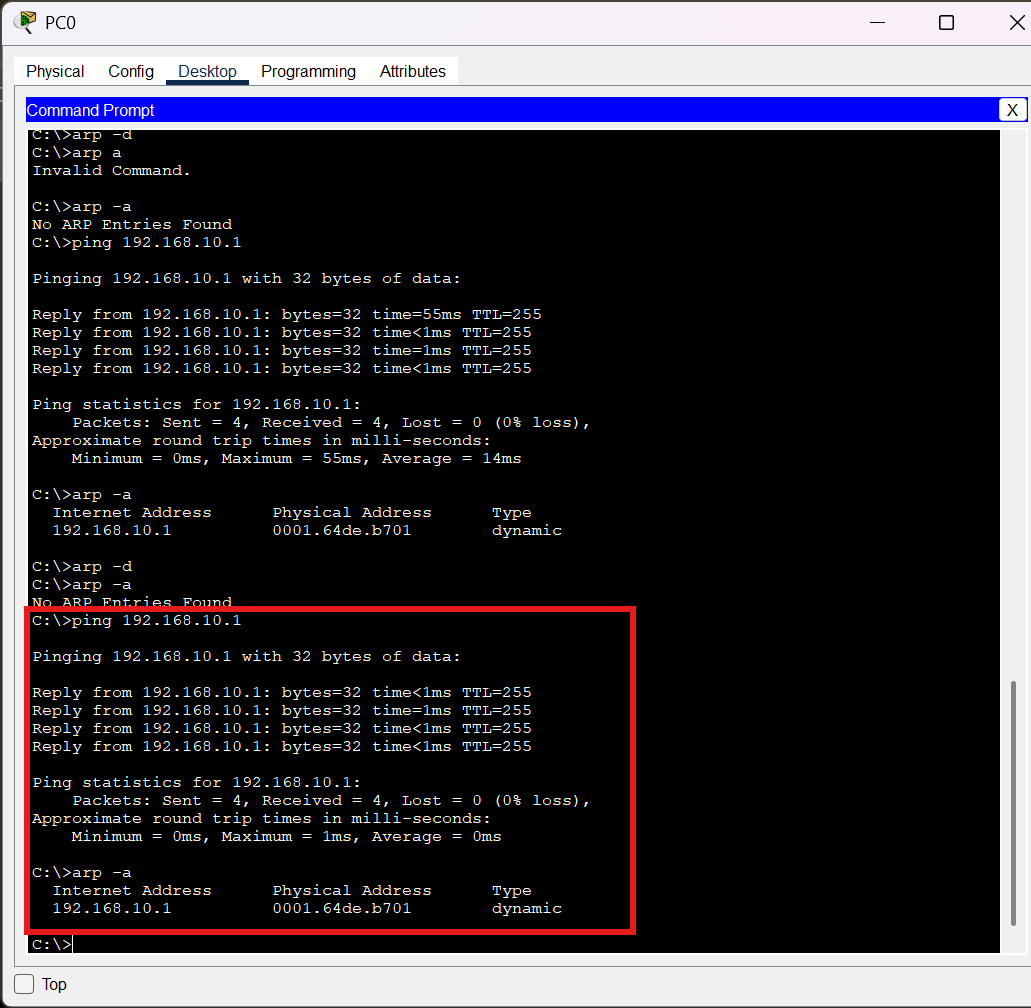
PC-A ARP table showing a dynamic entry for the default gateway 192.168.10.1.
The ARP table contained:
Internet Address      Physical Address      Type

192.168.10.1          0001.c76b.5d01        dynamic
This is an important observation.
PC-A needed the MAC address of the router's local interface in order to send the Ethernet frame toward the gateway.
The ARP mapping is:
192.168.10.1
      ↓
0001.c76b.5d01
What Happens When PC-A Pings PC-B?
Now PC-A needs to communicate with:
192.168.10.70
The destination is PC-B.
PC-A sends:
ping 192.168.10.70
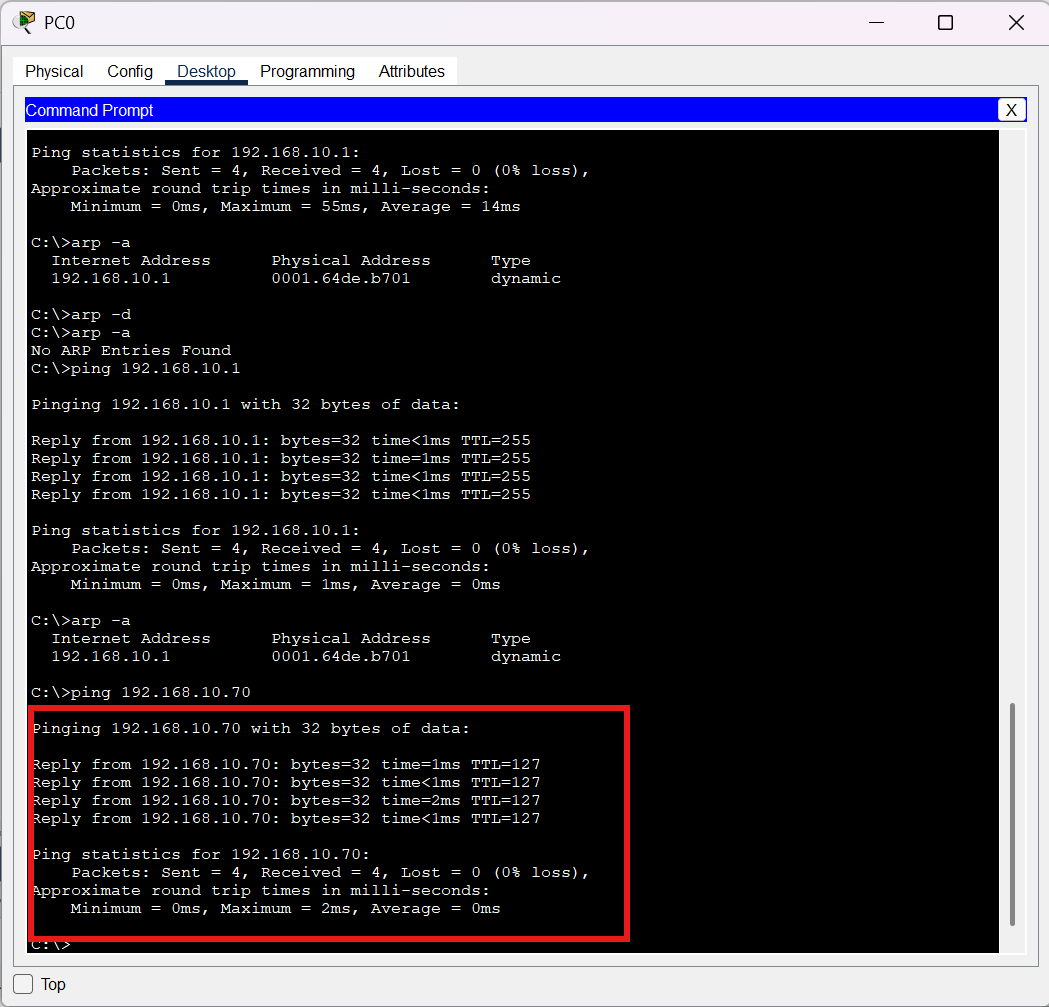
Caption: PC-A successfully pinging PC-B at 192.168.10.70, demonstrating connectivity between the two /26 subnets through the router.
The test was successful:
Packets: Sent = 4, Received = 4, Lost = 0 (0% loss)
This confirms that the two different /26 subnets can communicate through the router.
But there is an important question:
If PC-A communicates with PC-B, why does PC-A's ARP table not contain PC-B's MAC address?
The answer is related to subnetting and the default gateway.
Checking the ARP Table After Pinging PC-B
After communicating with PC-B, I checked PC-A's ARP table again:
arp -a
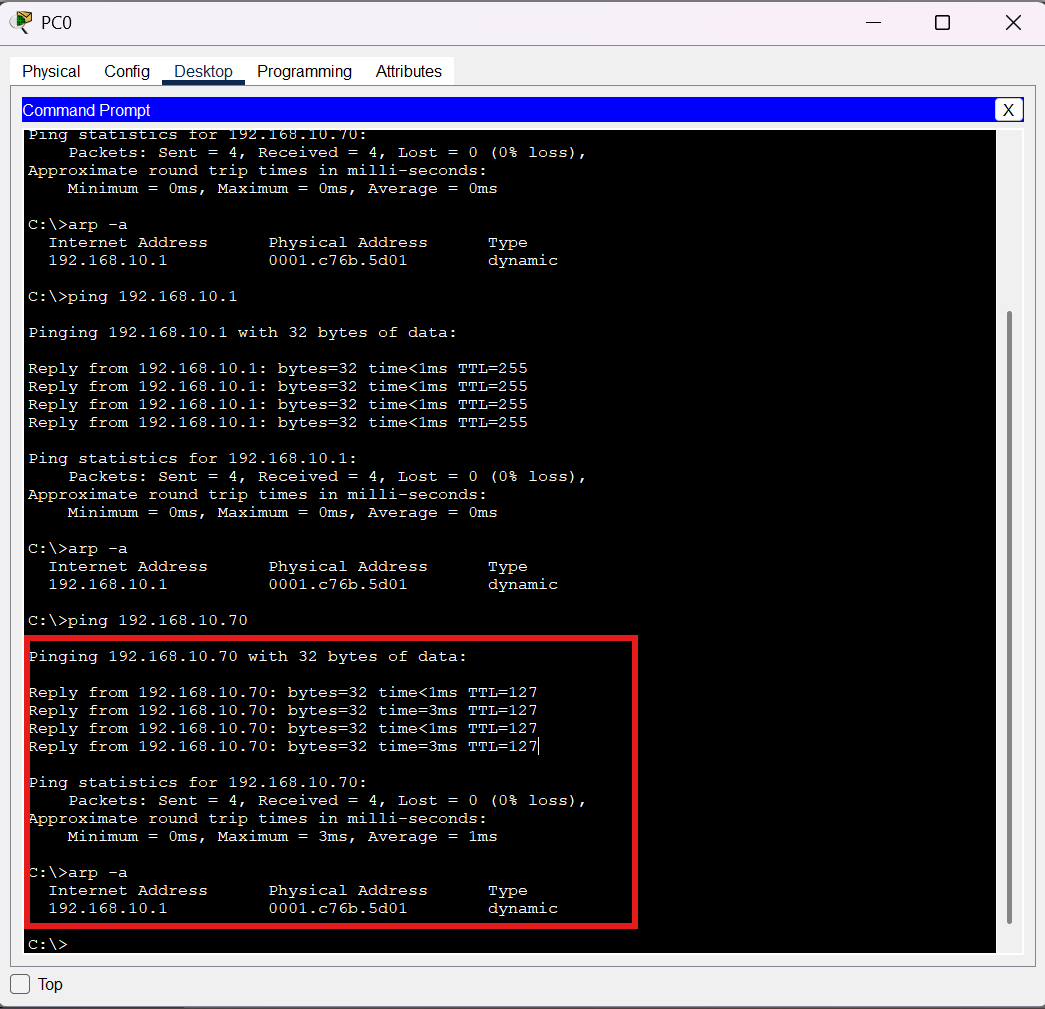
PC-A ARP table showing a dynamic entry for the default gateway 192.168.10.1 rather than the remote host 192.168.10.70.
The ARP table still showed the gateway:
192.168.10.1 → 0001.c76b.5d01
There was no ARP entry for:
192.168.10.70
This is expected.
PC-B is not on PC-A's local /26 subnet.
PC-A belongs to:
192.168.10.0/26
while PC-B belongs to:
192.168.10.64/26
Therefore, PC-A does not need to resolve PC-B's MAC address directly.
Instead, PC-A resolves the MAC address of its default gateway.
Why Does PC-A ARP for the Gateway Instead of PC-B?
This is one of the most important concepts in understanding ARP.
Before sending traffic, a host determines whether the destination IP address belongs to its own subnet.
For PC-A:
IP address:
192.168.10.10/26
Its local network is:
192.168.10.0/26
PC-B has:
192.168.10.70/26
Its network is:
192.168.10.64/26
Because the networks are different, PC-A knows that PC-B is a remote destination.
Therefore, PC-A sends the traffic to its default gateway:
192.168.10.1
PC-A needs the gateway's MAC address:
192.168.10.1
        ↓
0001.c76b.5d01
The Ethernet frame can then be addressed to the router's MAC address while the IP packet still has PC-B as its final destination.
Conceptually:
Ethernet Frame
Destination MAC:
Router's MAC

        +

IP Packet
Destination IP:
192.168.10.70
This distinction between Layer 2 and Layer 3 is essential for understanding how routed networks work.
What Does the Router Do?
Once the router receives the frame from PC-A, it examines the IP packet.
The router checks its routing information to determine where:
192.168.10.70
should be forwarded.
PC-B belongs to:
192.168.10.64/26
which is connected to the router's other interface.
The router then forwards the packet toward PC-B.
On the destination subnet, the router may need ARP to determine PC-B's MAC address.
This means ARP is performed locally on each network segment.
The ARP process does not simply travel across the router from PC-A's subnet to PC-B's subnet.
Checking PC-B's ARP Table
I also checked the ARP table on PC-B:
arp -a
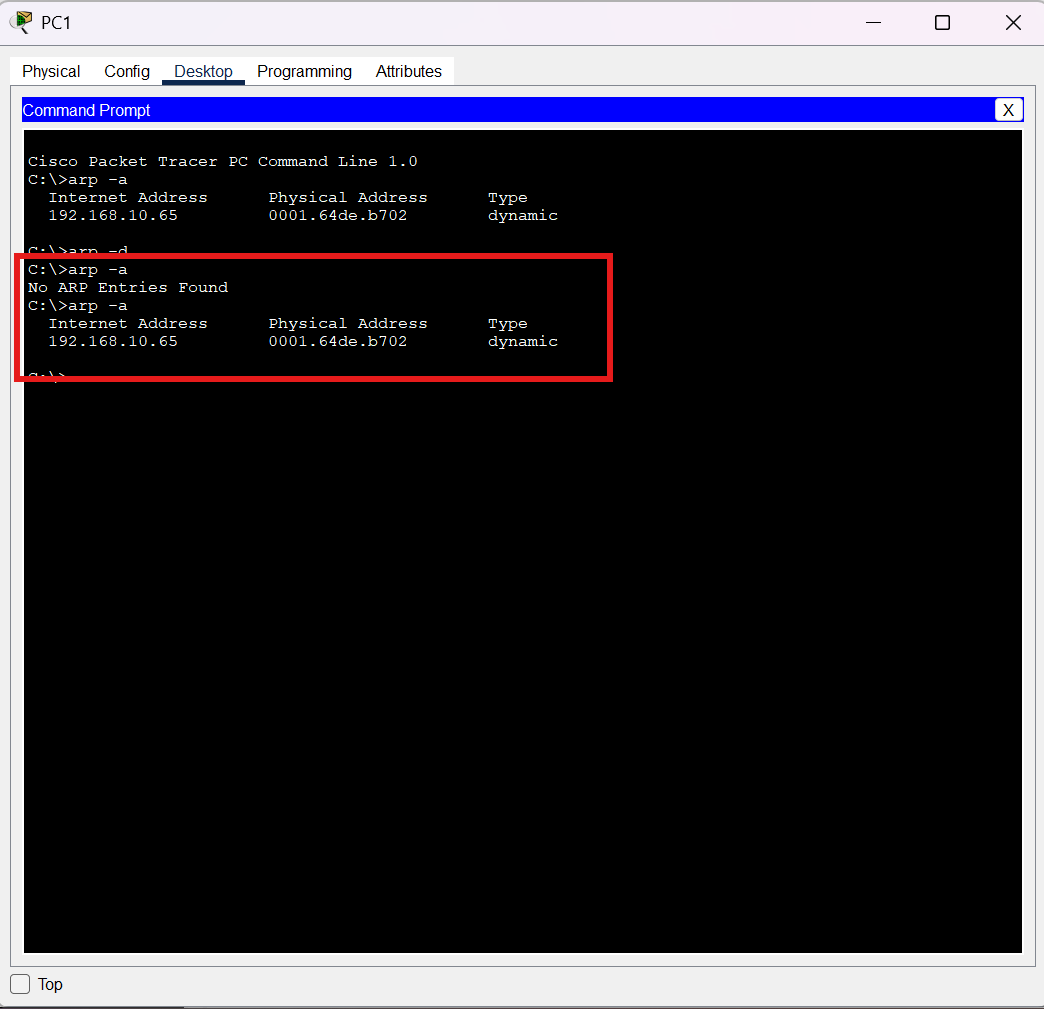
Caption: PC-B ARP table showing a dynamic ARP entry for its default gateway 192.168.10.65.
PC-B uses:
192.168.10.65
as its default gateway.
Therefore, the ARP table on PC-B can contain a mapping for its local router interface.
This demonstrates that each subnet has its own local ARP process.
ARP and the Default Gateway
The relationship between ARP and the default gateway becomes clearer when comparing local and remote communication.
Destination on the Same Subnet
If the destination is on the same subnet, the host can use ARP to discover the destination host's MAC address.
Conceptually:
Host A
   |
   | ARP
   v
Destination Host
The Ethernet frame can then be sent directly to the destination host.
Destination on a Different Subnet
If the destination is on another subnet, the host does not directly ARP for the remote host's MAC address.
Instead:
Host A
   |
   | ARP
   v
Default Gateway
   |
   | Routing
   v
Remote Network
   |
   v
Destination Host
The host needs the MAC address of the local gateway.
The router then performs the Layer 3 forwarding process.
ARP vs Routing
ARP and routing are related, but they solve different problems.
| Function | Purpose |
|---|---|
| ARP | Resolves an IPv4 address to a MAC address on the local network |
| Routing | Determines where an IP packet should be forwarded |
| MAC address | Used for local Layer 2 delivery |
| IP address | Used for Layer 3 logical addressing |
| Default gateway | Provides a path to other IP networks |
A useful way to remember this is:
ARP:
"Which MAC address belongs to this local IP?"

Routing:
"Where should this IP packet go next?"
Understanding this distinction makes network troubleshooting much easier.
Common ARP Troubleshooting
ARP problems can cause communication failures even when the IP configuration appears correct.
Some common things to check are:
1. Check the IP Configuration
On a Packet Tracer PC:
ipconfig
Verify:
IPv4 address
subnet mask
default gateway
2. Check the ARP Table
Use:
arp -a
Look for the expected local IP-to-MAC mapping.
3. Test the Default Gateway
For PC-A:
ping 192.168.10.1
For PC-B:
ping 192.168.10.65
If the local gateway cannot be reached, investigate the local network before troubleshooting the remote destination.
4. Check the Subnet Mask
A wrong subnet mask can change how a host determines whether a destination is local or remote.
For example:
255.255.255.192
is /26, while:
255.255.255.0
is /24.
Using the wrong mask can cause a host to make an incorrect local-versus-remote decision.
What I Learned from This Lab
This practical experiment helped me understand several important concepts.
First, ARP does not simply mean:
IP address → MAC address
The host first determines whether the destination is local or remote.
If the destination is remote, the host uses ARP to resolve the MAC address of the default gateway.
Second, the IP packet and Ethernet frame have different addressing information.
For communication from PC-A to PC-B:
Destination IP:
192.168.10.70
while the local Ethernet destination is the router's MAC address.
Third, ARP is local to a network segment.
The router separates the two subnets, so the ARP process on PC-A's network is different from the ARP process on PC-B's network.
Finally, subnetting directly affects ARP behavior because the subnet mask determines whether a destination is considered local or remote.
Conclusion
ARP is a fundamental protocol in IPv4 Ethernet networks because devices need MAC addresses for local Layer 2 communication.
The basic process is:
IPv4 destination
      ↓
Determine local or remote
      ↓
If local → ARP for destination MAC
      ↓
If remote → ARP for default gateway MAC
      ↓
Send Ethernet frame
      ↓
Router forwards the IP packet
In the Packet Tracer lab, PC-A successfully communicated with PC-B even though PC-A's ARP table did not contain PC-B's MAC address.
This happened because PC-B was located on a different /26 subnet.
PC-A therefore used its default gateway:
192.168.10.1
rather than trying to resolve PC-B's MAC address directly.
This is a small but important detail that helps explain how ARP, Ethernet, IP addressing, subnetting, default gateways, and routing work together.
Frequently Asked Questions
What is ARP?
ARP (Address Resolution Protocol) is used in IPv4 networks to resolve an IP address to a MAC address on the local network.
Does ARP work across routers?
No. ARP is used on the local network segment. Routers separate broadcast domains, so ARP requests are not forwarded as normal Layer 2 broadcasts across a router.
Does a host ARP for a remote host's MAC address?
Normally, no. If the destination is on another subnet, the host ARPs for the MAC address of its default gateway.
What is the difference between ARP and routing?
ARP resolves an IPv4 address to a MAC address for local Layer 2 delivery. Routing determines where an IP packet should be forwarded between networks.
Why does PC-A have the router's MAC address in its ARP table?
Because PC-A needs the router's local MAC address to send Ethernet frames toward destinations located on other IP networks.
Why is PC-B's IP address not in PC-A's ARP table?
Because PC-B is on a different /26 subnet. PC-A sends the packet to its default gateway instead of directly resolving PC-B's MAC address.
Final Takeaway
The most important concept from this lab is:
ARP resolves local IPv4 addresses to MAC addresses, while routing determines how packets move between IP networks.
Once this distinction is clear, the relationship between IP addresses, MAC addresses, ARP, switches, routers, subnet masks, and default gateways becomes much easier to understand.
Next Article
In the next article, I will continue exploring networking fundamentals by looking more closely at MAC addresses and Ethernet frames, including how switches use MAC address tables to decide where Ethernet frames should be forwarded.